The most common feature of the Tariff Picker is the Basic Search. This consists of entering a tariff number (or a partial tariff), and then searching the tariff schedule for a classification that matches. If you know the exact tariff (or the chapter number for example) then this is a good place to begin. If you only have a description of the product, you would be better off following the instructions for the Advanced Search.
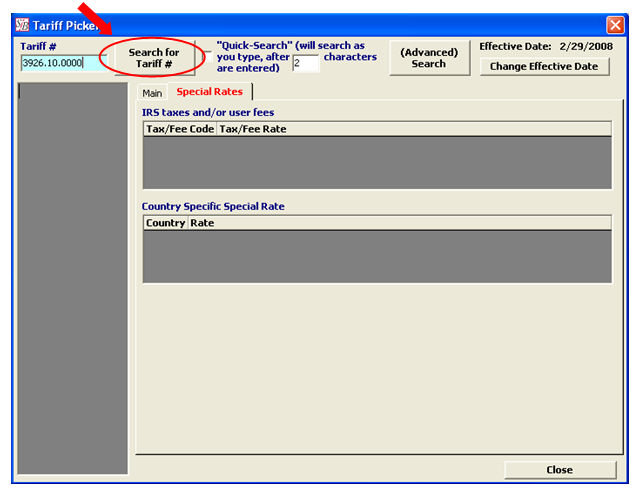
Enter the tariff number into the Tariff # field and click the Search for Tariff # button:
Note: You must enter the decimal(s) in the proper place, to receive your search results. Ex. 3926.10.0000 will work fine, but 3926100000 will not return any search results.
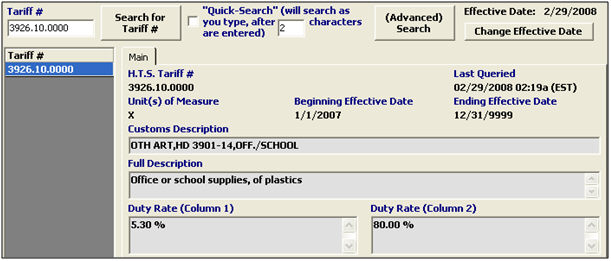
If you entered a valid tariff number, the search results will display (descriptions, duties, etc.):
If you entered a partial tariff, all results that start with this partial tariff will be shown:
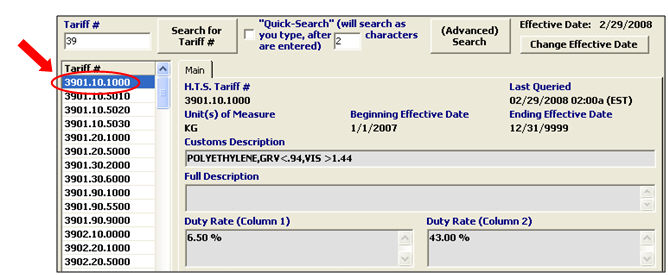
Then you can choose a full tariff number from the left hand column, and it’s information will display in the window.
You can also use the ”Quick Search” option by checking the box, as shown below:

You must specify the number of characters to be keyed before this feature begins functioning.
In the example below, the quick search will begin working after three characters are keyed in.
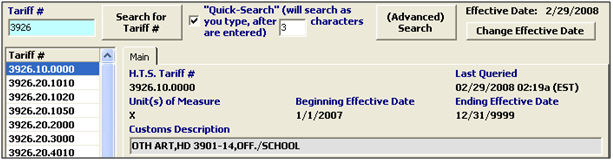
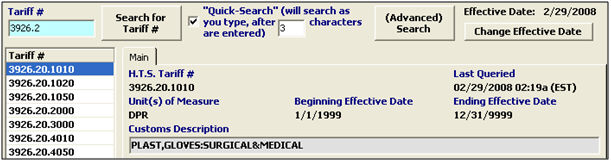
Once you’ve keyed the required characters, the tariff picker will pause between each character to update/refresh your search results, as shown below:
The Tariff Picker allows you to choose an Effective Date for the search, when necessary. This can be useful to see which tariff numbers and duty rates were applicable in the past.

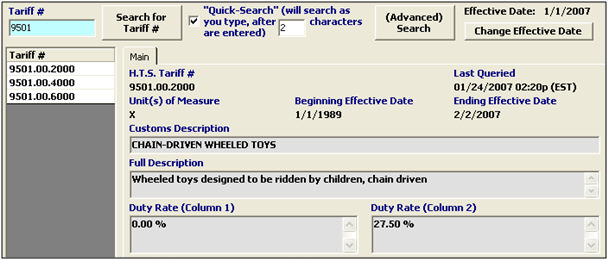
For this example, we’ll use 9501.00.2000 (removed from the HTS in February of 2007)
As you can see, using a current date has no search results (since this tariff is no longer valid)
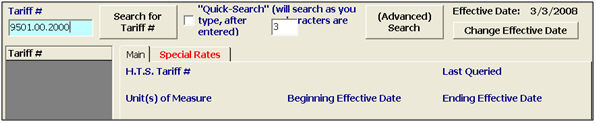
If you change the effective date to 1/1/07, you can view the information that was valid on that effective date. This result will also give you the Ending Effective Date for the invalid tariff: